darktable 5.4 - A Simple Beginner Workflow and Interactive Walkthrough
feed

blog

Introducing The Levels Module

Introducing The Levels Module

![Screenshot](Screenshot.png)

For my final GSOC 2011 task, I set out to build a levels module for darktable, which would behave more or less like the levels tool in GIMP and similar image editors. The user sets a white point, black point, and middle grey point for their image on a histogram, and the tool …

A Tour Of The New Colorpicker

A Tour Of The New Colorpicker

For my third GSOC task, I’ve replaced darktable’s old bottom-bar colorpicker with a new one one that acts as a module in darktable mode. The new picker adds some features over the old version, which some of you will hopefully find helpful. Specifically, we have four new additions:

  • You can now choose point or area …

That other OS

That other OS

The last time I posted to this blog it was my April Fool’s Joke about a file manager (which happened to be just an embedded shell). Since a few people didn’t like that at all I want to assure you that this is no joke at all. However, if you are a Windows user and feel easily offended, then stop reading now.

Still …


darktable’s New Keyboard Shortcut System

darktable’s New Keyboard Shortcut System

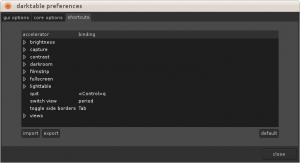
Screenshot-darktable-preferences-300x163

It took longer than I expected thanks to some unforeseen twists and turns, but the new keyboard accelerator system is basically finished. There may still be some need for minor bug fixes and string changes (in particular, the new translation system needs to be tested out), but by and large everything that …


The State of darktable Keyboard Input

The State of darktable Keyboard Input

I’m about a week in on my work on darktable’s keyboard input system, and I’m hoping by the end of this week to be more or less done.  Here’s a quick look at where I am and where I’m going.

The Current Status

If you check out my git branch (it’s called bieber), you’ll find that so far I’ve removed all of the …


released 0.9

released 0.9

we released version 0.9, with many new features:

  • run-time switchable opencl to exploit all the power of your GPU whenever you decide to install the driver
  • many new modules, including a spot removal tool, better denoising (on raw pixels and non-local means) and many more
  • blend operations, overlay your module only …

libglade Removal: The First Week

libglade Removal: The First Week

I’m now a week into my first task of removing darktable’s dependency on libglade, so here’s a quick look at my progress so far. In the first week I started out by diving in and figuring out how to instantiate all the widgets I would need, starting with the lowest levels and working my way up. It took a little …


GSOC 2011 Starts Today

GSOC 2011 Starts Today

Today I’ll be starting on my Summer of Code project for darktable, so I thought I’d start off with a blog post about just what I’ll be doing. This Summer I’ll be focusing on UI improvements in darktable, and I have four separate tasks to complete, in this order.

  1. Removing the libglade dependence.

    There are two …


File management

File management

Whoever has followed the mailing lists or IRC has seen remarks that darktable lacks a feature complete file manager. Currently we only have a button which lets the user delete files from disk, but there is no way to move them, copy them, rename them, … Every time someone has shown up to suggest something beyond …